 个人技术分享

<?php
// +----------------------------------------------------------------------
// | 作者 hankin [ http://www.hankin.cn ]
// +----------------------------------------------------------------------
// | 版权所有 2024-06-27 13:06 hankin
// +----------------------------------------------------------------------
// | 官方网站: http://www.hankin.cn
// +----------------------------------------------------------------------
?>
<?php
$gzh_app_id = "公众号appid";//公众号appid
$gzh_app_secret = "公众号appsecret";//公众号appsecret
?>
<?php if(isset($_GET['redirectUrl']) && !empty($_GET['redirectUrl'])):?>
    <!--  获取跳转url地址  -->
    <script type="text/javascript">localStorage.setItem('redirectUrl','<?= $_GET['redirectUrl'];?>')</script>
<?php endif;?>

<?php if(isset($_GET['type']) && !empty($_GET['type'])):
    //发起授权
    $redirectUrl =  $_SERVER['REQUEST_SCHEME'] . '://'.  $_SERVER['SERVER_NAME'] . '/' . $_GET['type'] . '.php';
    //获取公众号授权拿到code
    $codeUrl = "https://open.weixin.qq.com/connect/oauth2/authorize?appid=".$gzh_app_id."&redirect_uri=".urlencode($redirectUrl)."&response_type=code&scope=snsapi_userinfo&forcePopup=true&forceSnapShot=true&state=STATE#wechat_redirect";
    //header("location: ".$codeUrl);
    ?>
    <script type="text/javascript">
        //跳转code页面地址
        setTimeout(function(){
            window.location.href = '<?= $codeUrl;?>'
        },500)
    </script>
<?php endif;?>

<?php if(isset($_GET['code']) && !empty($_GET['code'])):
    //根据code获取微信用户信息
    $data = getSimpleUserInfo($_GET['code'], $gzh_app_id, $gzh_app_secret);
    ?>
    <?php
    //微信用户信息解析
    $ret['userinfo']['openid'] = $data['openid'] ?? '';//微信用户唯一标识 openid
    $ret['userinfo']['unionid'] = $data['unionid'] ?? '';//微信用户唯一标识 unionid
    $ret['userinfo']['nickname'] = $data['nickname']?? '';//微信用户昵称
    $ret['userinfo']['avatar'] = $data['headimgurl']?? '';//微信用户头像
    ?>
    <script type="text/javascript">
        //跳转回调地址
        window.location.href = localStorage.getItem('redirectUrl')+'?data=<?= urlencode(json_encode($ret));?>'
        //JSON.parse(decodeURIComponent(window.location.href.split('?data=')[1]))
    </script>
<?php endif;?>

<?php
function getSimpleUserInfo($code, $WECHAT_APPID, $WECHAT_APPSECRET)
{
    if (empty($code)) return array();
    //通过code换取网页授权access_token
    $access_token_url = 'https://api.weixin.qq.com/sns/oauth2/access_token?appid=' . $WECHAT_APPID . '&secret=' . $WECHAT_APPSECRET . '&code=' . $code . '&grant_type=authorization_code';
    $access_token_json = https_request($access_token_url);
    $access_token_array = json_decode($access_token_json, true);

    $openid = isset($access_token_array['openid']) ? $access_token_array['openid'] : '';
    $access_token = isset($access_token_array['access_token']) ? $access_token_array['access_token'] : '';

    $userinfo_url = 'https://api.weixin.qq.com/sns/userinfo?access_token=' . $access_token . '&openid=' . $openid . '&lang=zh_CN';
    $userinfo_json = https_request($userinfo_url);

    $userinfo_array = json_decode($userinfo_json, true);

    return $userinfo_array;
}

//请求接口
function https_request($url)
{
    $curl = curl_init();
    curl_setopt($curl, CURLOPT_URL, $url);
    curl_setopt($curl, CURLOPT_SSL_VERIFYPEER, FALSE);
    curl_setopt($curl, CURLOPT_SSL_VERIFYHOST, FALSE);
    curl_setopt($curl, CURLOPT_RETURNTRANSFER, 1);
    $data = curl_exec($curl);
    if (curl_errno($curl)) {
        return 'ERROR ' . curl_error($curl);
    }
    curl_close($curl);
    return $data;
}


/**
 * 生成AJAX结果
 * @param $resultCode
 * @param null $message
 * @param null $data
 * @return array
 */
function generateAjaxResult($resultCode, $message = NULL, $data = NULL)
{
    exit(json_encode([
        'code' => $resultCode,
        'msg' => $message,
        'result' => $data,
    ]));
}


/**
 * AJAX成功返回数据
 * @param null $data
 * @return array
 */
function ajaxSuccess($data = NULL,$message = NULL)
{
    $result = generateAjaxResult(
        200,
        $message,
        $data
    );

    return $result;
}


/**
 * AJAX错误返回数据
 * @param null $message
 * @param int $resultCode
 * @param null $data
 * @return array
 */
function ajaxError($message = NULL, $resultCode = 1000, $data = NULL)
{
    $result = generateAjaxResult(
        $resultCode,
        $message,
        $data
    );

    return $result;
}
?>
TenAPI(免费):https://docs.tenapi.cn/
百度AI:http://ai.baidu.com/
微博:https://open.weibo.com/wiki/API
讯飞:https://www.xfyun.cn/
APISpace:https://www.apispace.com/
聚合:https://www.juhe.cn/
旷视人脸:https://www.faceplusplus.com.cn/
融云:https://www.rongcloud.cn/
京东云:https://wx.jdcloud.com/api
高德:https://lbs.amap.com/
腾讯云产品API中心:https://cloud.tencent.com/api
阿里API市场:https://market.aliyun.com/products/56956004/
百度:https://apis.baidu.com/
<?php

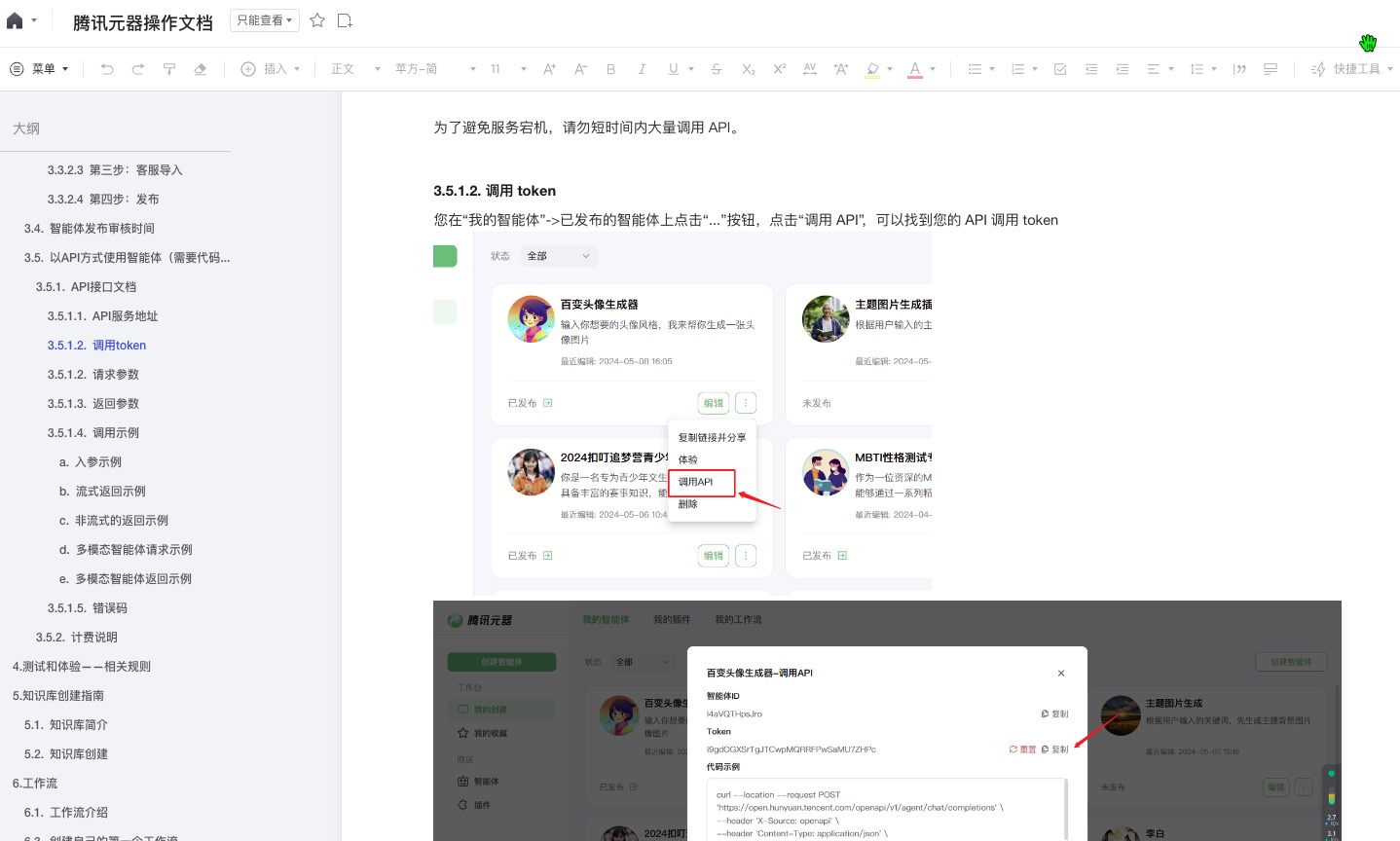
//使用文档:https://docs.qq.com/doc/DTWxpclVNeFRUUlh3

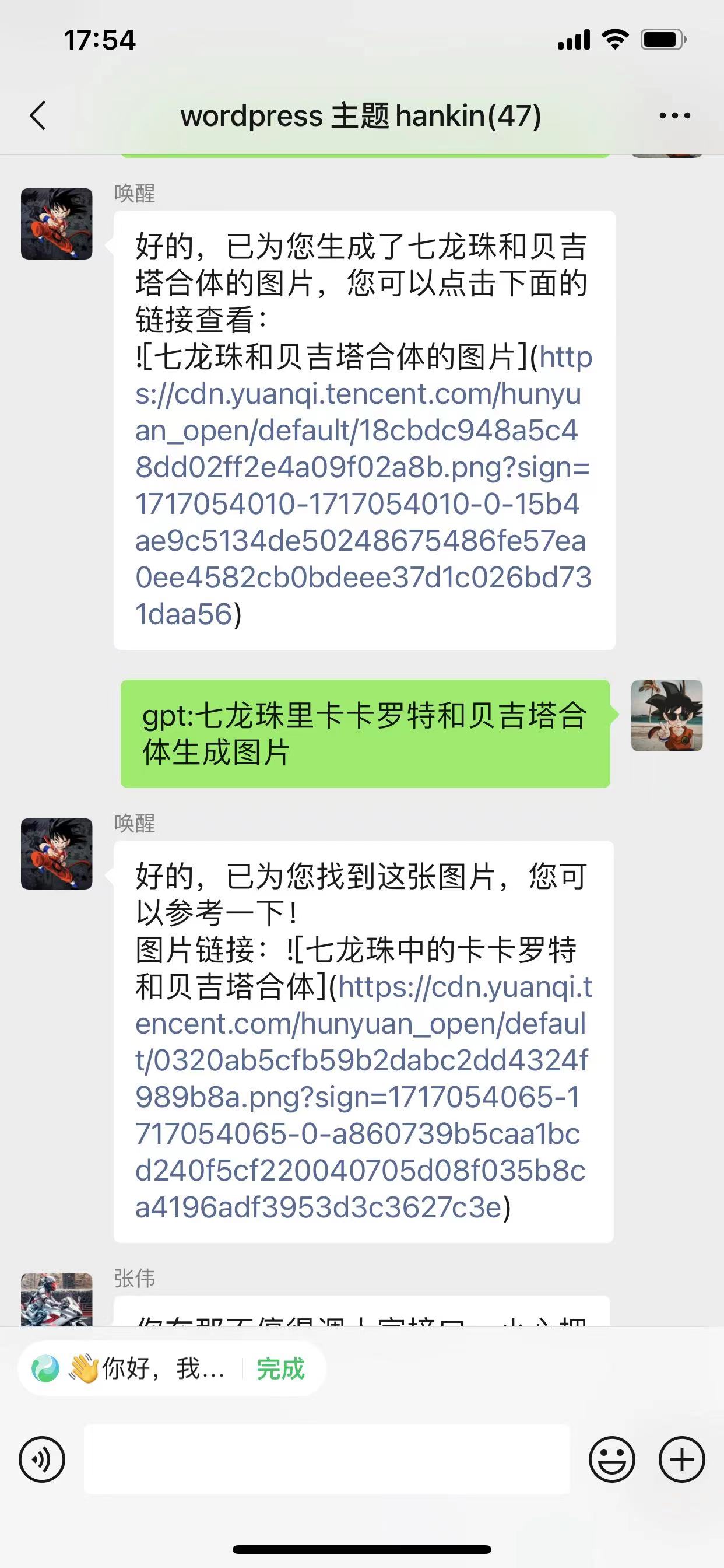
//目前已接入文生图

//解析抖音去水印视频def get_sign(Pm):
#这里是加密需要的字段
arg0 = Pm['appKey']
arg1 = Pm['utdid'] + "&"
arg1 = arg1 + Pm['uid']+ "&"
arg1 = arg1 + Pm['reqbiz-ext']+ "&"
arg1 = arg1 + Pm['appKey']+ "&"
arg1 = arg1 + Pm['datamd5']+ "&"
arg1 = arg1 + Pm['t']+ "&"
arg1 = arg1 + Pm['api']+ "&"
arg1 = arg1 + Pm['v']+ "&"
arg1 = arg1 + Pm['sid']+ "&"
arg1 = arg1 + Pm['ttid']+ "&"
arg1 = arg1 + Pm['deviceId']+ "&"
arg1 = arg1 + Pm['lat']+ "&"
arg1 = arg1 + Pm['lng']+ "&"
arg1 = arg1 + Pm['ext']+ "&"
arg1 = arg1 + Pm['x-features']+ "&"
arg1 = arg1 + Pm['routerId']+ "&"
arg1 = arg1 + Pm['placeId']+ "&"
arg1 = arg1 + Pm['openBiz']+ "&"
arg1 = arg1 + Pm['miniAppKey']+ "&"
arg1 = arg1 + Pm['reqAppKey']+ "&"
arg1 = arg1 + Pm['act']+ "&"
arg1 = arg1 + Pm['openBizData']
arg2 = Pm['api']
arg3 = "pageName="+ Pm['pageName'] + "&pageId=" + Pm['pageId']
sign = xianyu.get70102(arg0,arg1,arg2,arg3)
ret = eval(str(sign))
Pm.update(ret)
return ret
#在这里定义自己的字段
def build_Pm(api,v,data):
Pm = {}
Pm['x-app-ver'] = "7.1.60"
Pm['utdid'] = "YIJLR2Y/7fgDAMOPtQCGzfRz"
Pm['uid'] = ""#登录后才有
Pm['reqbiz-ext'] = ""
Pm['appKey'] = "21407387"
Pm['datamd5'] = hashlib.md5(data.encode("utf-8")).hexdigest() if data != "" else ""
Pm['t'] = str(int(time.time()))
Pm['api'] = api
Pm['v'] = v
Pm['sid'] = ""#登录后才有
Pm['ttid'] = "36137321407327@fleamarket_android_7.1.60"
Pm['deviceId'] = "AlKfW_V2tm3mJ3AYHwUErKPkq41dPGN2vXWlskFJDb2s"
Pm['lat'] = "0"
Pm['lng'] = "0"
Pm['ext'] = "openappkey=DEFAULT_AUTH"
Pm['x-features'] = "27"
Pm['routerId'] = ""
Pm['placeId'] = ""
Pm['openBiz'] = ""
Pm['miniAppKey'] = ""
Pm['reqAppKey'] = ""
Pm['act'] = ""
Pm['openBizData'] = ""
Pm['pageName'] = ""
Pm['pageId'] = ""
Pm['x-sgext'] = ""
Pm['x-umt'] = ""
Pm['x-mini-wua'] = ""
Pm['x-sign'] = ""
Pm['x-pv'] = "6.3"
Pm['x-bx-version'] = "6.5.24"
Pm['User-Agent'] = "MTOPSDK/3.1.1.7+(Android;7.1.2;HUAWEI;VOG-AL00)"
Pm['Cookie'] = ""
Pm['f-refer'] = "mtop"
sign = get_sign(Pm)
return Pm
def xianyu_post(url,api,v,data,_headers = {}):
Pm = build_Pm(api,v,data)
headers = {
"x-extdata": Pm['ext'],
"x-features": Pm['x-features'],
"x-sgext": quote_plus(Pm['x-sgext']),
"umid": quote_plus(Pm['x-umt']),
"User-Agent": quote_plus(Pm['User-Agent']),
"x-ttid": quote_plus(Pm['ttid']),
"content-type": "application/x-www-form-urlencoded;charset=UTF-8",
"a-orange-q":"appKey="+Pm['appKey']+"&appVersion="+Pm['x-app-ver']+"&clientAppIndexVersion=1120210930160801265&clientVersionIndexVersion=0",
"x-appkey": Pm['appKey'],
"x-mini-wua": quote_plus(Pm['x-mini-wua']),
"x-nq" : "WIFI",
"x-nettype": "WIFI",
"first_open" : "0",
"x-c-traceid": Pm['ttid'] + Pm['t'] +"332000317813",
"x-app-conf-v": "0",
"x-pv": Pm['x-pv'],
"x-bx-version": Pm['x-bx-version'],
"x-t": Pm['t'],
"x-app-ver": Pm['x-app-ver'],
"f-refer": Pm['f-refer'],
"Cookie" : Pm['Cookie'],
"x-sid": Pm['sid'],
"x-utdid": Pm['utdid'],
"x-umt": quote_plus(Pm['x-umt']),
"x-devid": Pm['deviceId'],
"x-sign": quote_plus(Pm['x-sign']),
"x-location": quote_plus("{0},{1}".format(Pm['lng'], Pm['lat'])),
"x-page-name": Pm['pageName'],
"x-page-url": quote_plus(Pm['pageId']),
"x-uid": Pm['uid']
}
headers.update(_headers)
url = url + "/" + api + "/" + v + "/"
postdata = "data=" + quote_plus(data)
ret = requests.post(url, data=postdata, headers=headers)
return ret
url = "http://acs.m.taobao.com/gw"
api = "mtop.taobao.idle.local.flow.plat.container"
v = "1.0"
data = '{"productId":"2","unionKey":"online_local_concept_container"}'
ret = xianyu_post(url,api,v,data)
print(ret.text)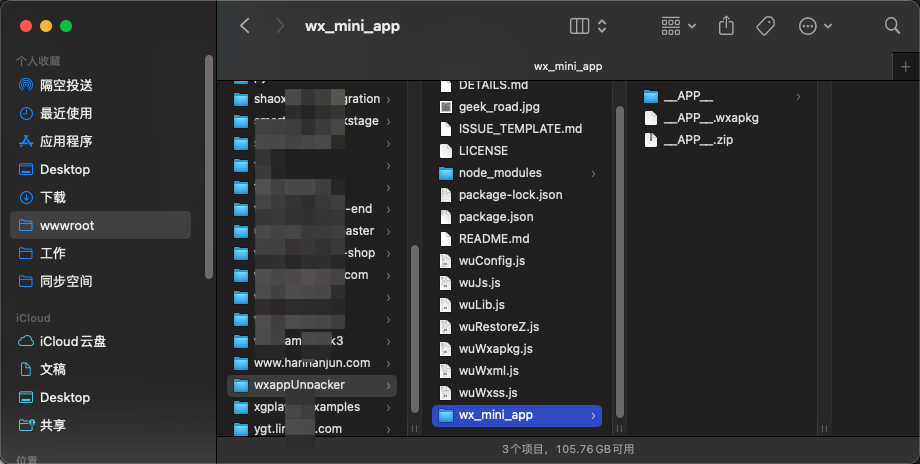
<?php

# mac版微信版本: > 3.8.0

# node: 18.12.0

# node版本wxappUnpacker

# 注:mac版微信版本大于3.8.0的(无需解*密,可以找到对应的小程序的 .wxapkg 包直接反编译)

# 下载wxappUnpacker,(https://gitee.com/hanhanjun_admin/wxappUnpacker)

# 编辑器内打开目录,安装依赖包

# npm install esprima

# npm install css-tree

# npm install cssbeautify

# npm install vm2

# npm install uglify-es

# npm install js-beautify

# node wuWxapkg.js [-d] <files...>     //files 就是你想要反编译的文件名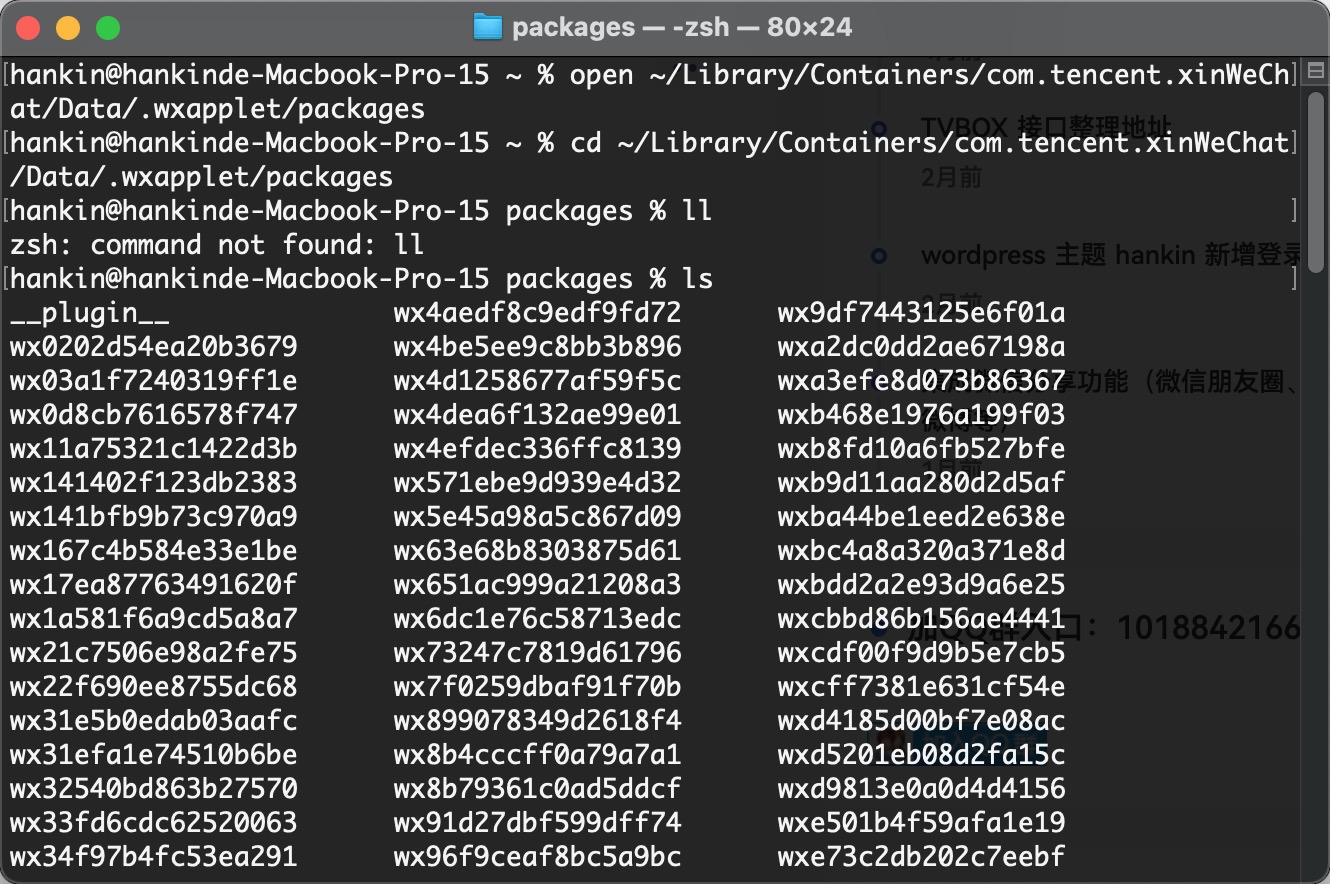

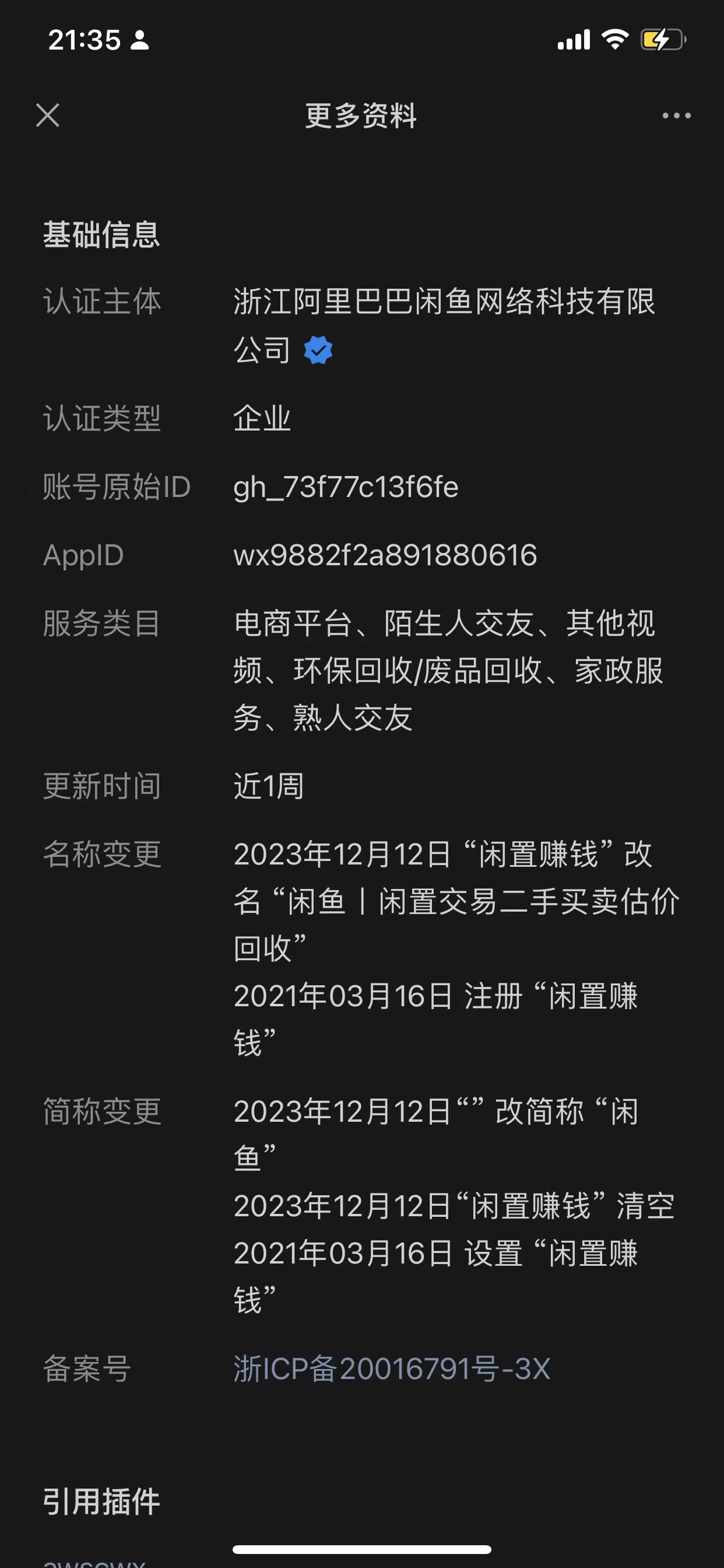
#
open ~/Library/Containers/com.tencent.xinWeChat/Data/.wxapplet/packages
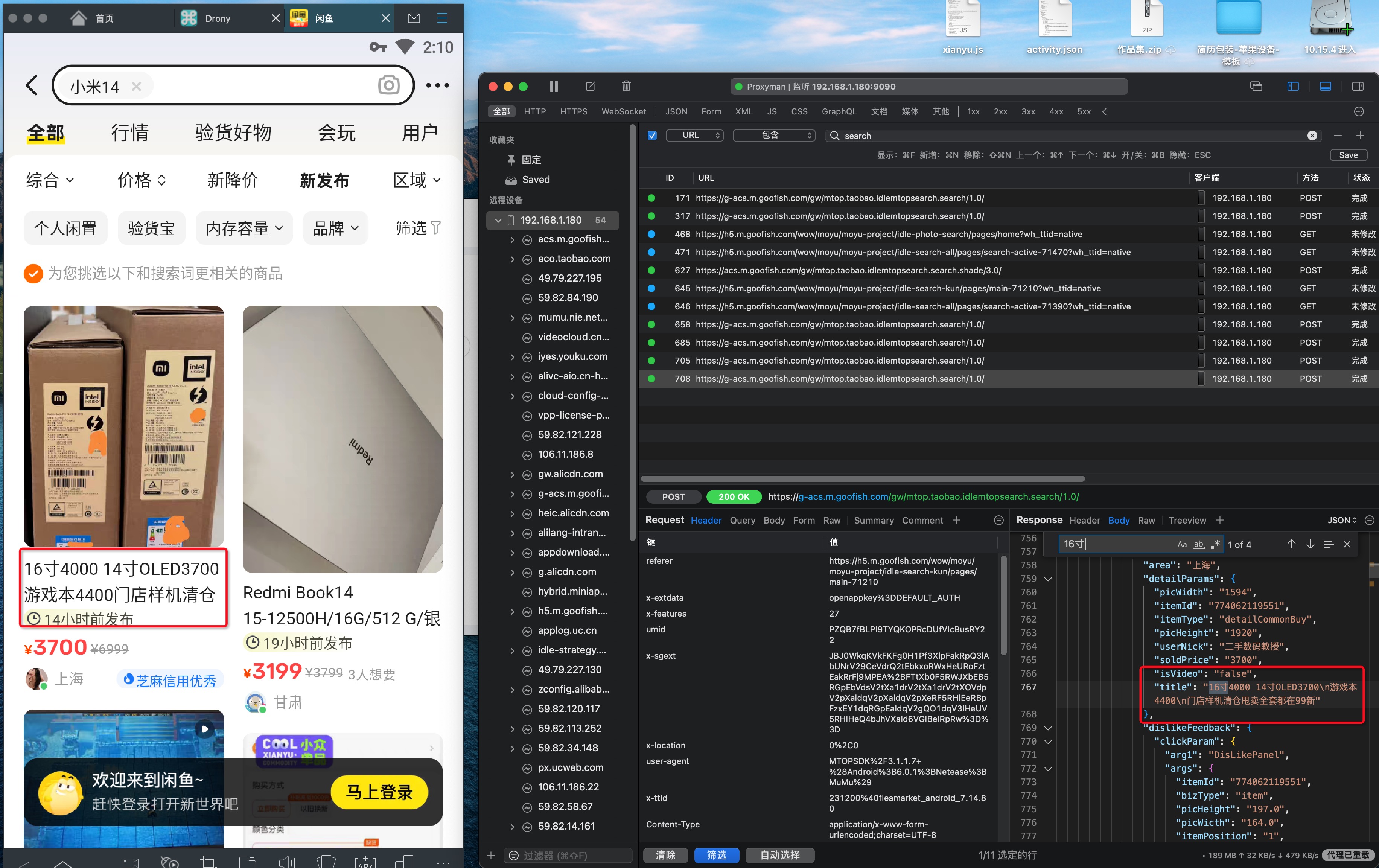
#

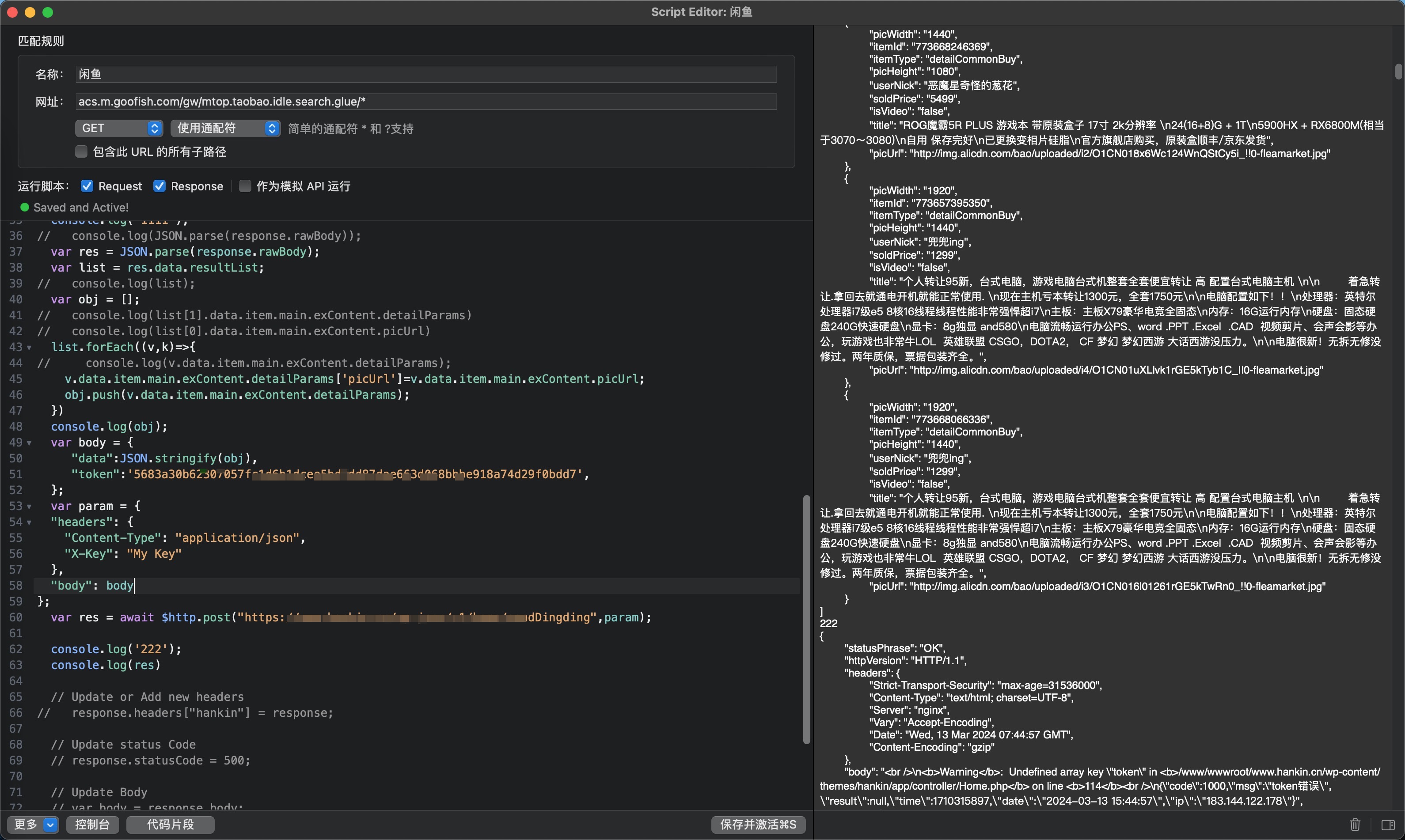
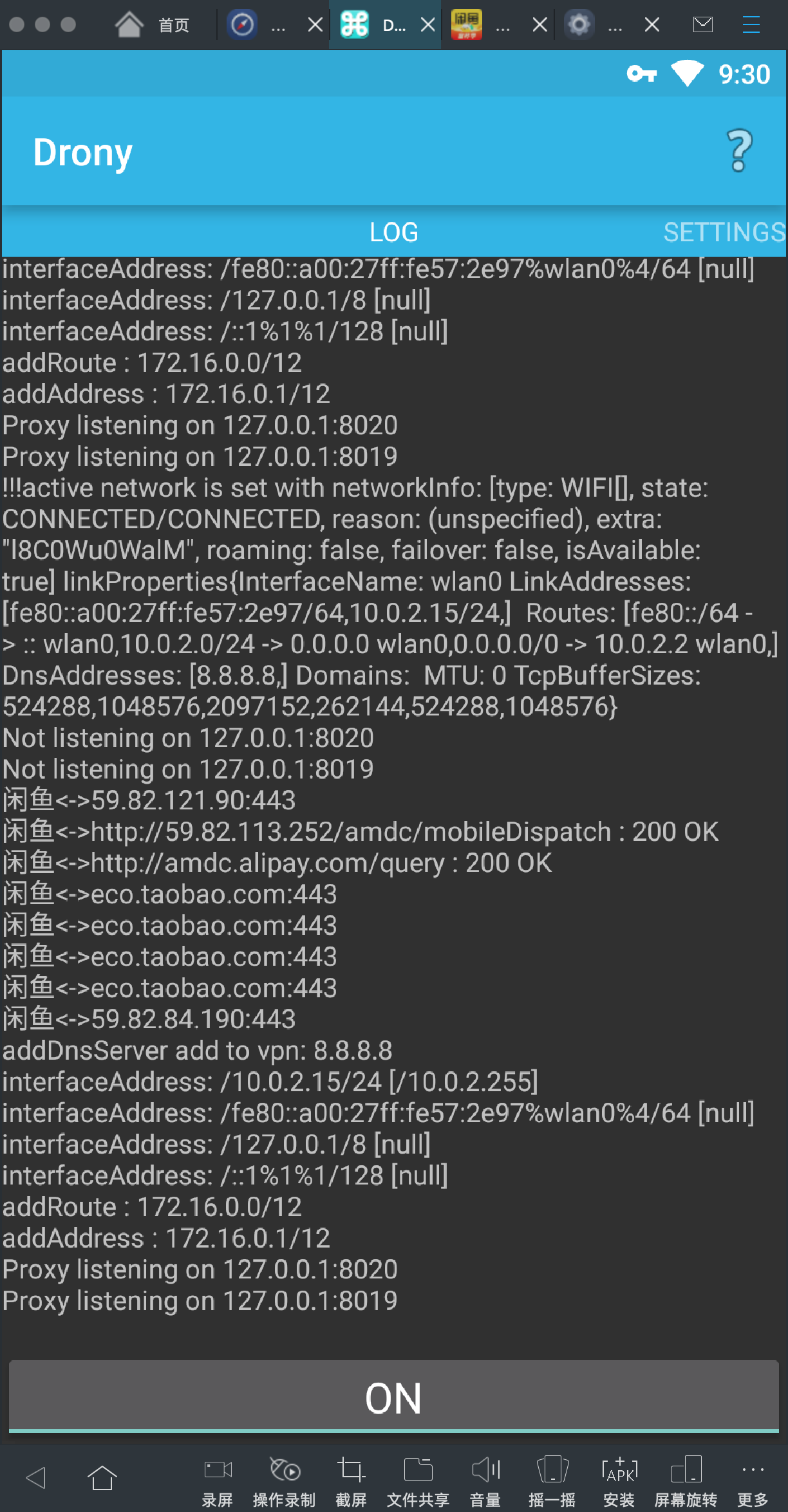
--

//方案1
/**
1. 利用模拟器 通过网络链接到 pc 端的抓包软件
2. 安装模拟器以及 pc 端的证书
3. 利用手机抓包软件 Charles 获取请求信息
4. 第一次获取失败,原因闲鱼 app 使用的是 SPDY 协议,不支持 http 直接请求,所以没有返回信息5. 部署 frida-server 到模拟器并解压内部启动
6. 使用 frida+python 脚本强制关闭 spdy 协议
7. 重新刷新获取结果
8. 获取 json 文件提取清洗输出
**/
//方案2
/**
1. 利用模拟器 通过安卓软件 drony.apk配置使用 无需码代码配置就能用
2. 配置教程地址:(https://blog.csdn.net/weixin_29002191/article/details/113071736)安装模拟器以及 pc 端的证书
3. 利用手机抓包软件 Charles 获取请求信息
4. 因SPDY协议 不能在模拟器中直接用ip代理使用 所以使用vpn方式 越过 SPDY 协议
**/
--全局head标签中插入完美解决
全局head标签中插入完美解决
<meta name=referrer content=no-referrer>
世界那么大,我想去看看。但钱包那么小,哪也去不了。所以,珍惜当下,享受生活。
28
文章107
获赞244
评论9.4万+
浏览
暂无数据